Every control that matters, on your wrist.
WearDash turns one YAML file into glanceable dashboards and watch tiles: buttons, sliders, live graphs and camera snapshots, wired to Home Assistant, Android TV or any REST API.
Apple Watch - coming soon
How it works
From install to wrist in four steps.
One install on the watch. After that, changes reach it without a cable.
Install WearDash on the watch
Wear OS 3 or later. The app is standalone: nothing to install on the phone.
Link your watch
The watch shows a one-time code. Type it here and pick a config. Nothing to type on the watch.
Design in the visual editor
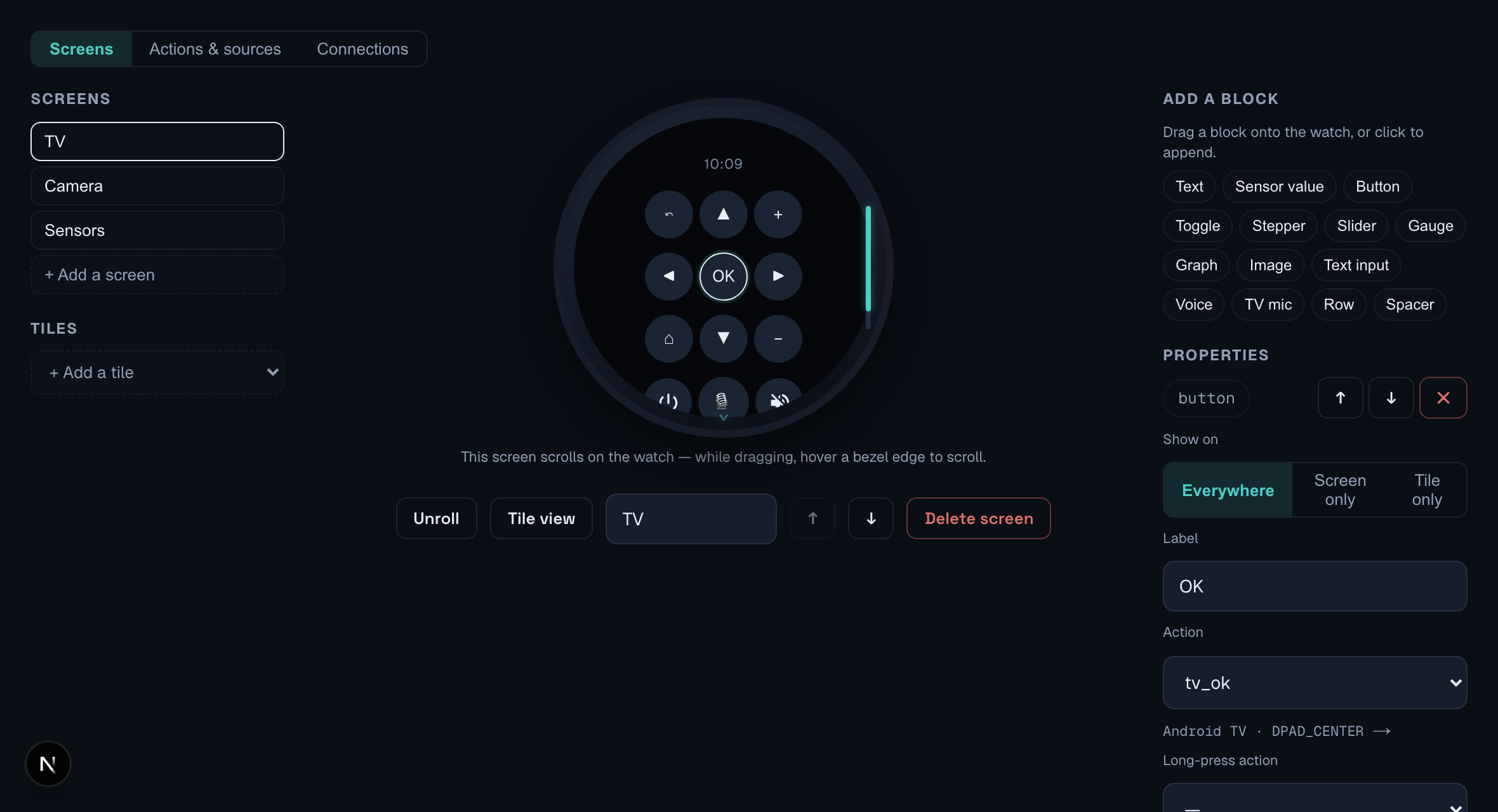
Drag & drop blocks onto a live watch preview, or start from a ready-made config: TV remote, Home Assistant, weather. YAML stays available.
Publish, it updates live
Each publish creates a version. Secrets are entered on the web and end-to-end encrypted; our servers only see ciphertext.
Connectors
Talks to what you already run.
Three connectors at launch, mixable in a single dashboard.
Android TV
Native remote protocol: d-pad, apps and voice search straight from the watch. Pairs like the official remote.
works with Shield, Chromecast, Sony, TCL…Home Assistant
Point at an entity, call a service: one line per source, one line per action. The shorthand keeps the YAML short.
entity: fan.living_roomAny REST API
Templated URLs, headers and bodies against anything that speaks HTTP, behind a self-signed cert, a private CA or mutual TLS. Secrets stay out of the config.
Authorization: Bearer {{secrets.token}}Features
A full dashboard on a small screen.
Visual editor & templates
Build screens by drag & drop on a round watch preview, from example screens and blocks. No YAML required; the code view stays one click away.
Watch tiles
Any screen becomes a tile, one swipe from the watch face, sliders and graphs included.
Conditions & templating
Show, hide and recolor components from live state, like conditional cards on your wrist.
Sliders & live graphs
Set a fan speed by dragging, read a 24-hour temperature curve drawn on the watch.
Camera snapshots
Doorbell or entrance cam, refreshed on a schedule; tap to reload.
Works offline
The last config is cached on the watch, so it stays usable without network.
Voice to your own server
Speak into the watch and the recording is posted to the endpoint you choose, Whisper or n8n or your own. A separate mic drives Android TV search.
Your reverse proxy, as is
Wear OS cannot install a certificate authority, so WearDash handles TLS per host: a self-signed cert to trust once, a private CA, or a client certificate for mutual TLS.
actions:
  tv_left:  { type: atv, key: DPAD_LEFT }
  tv_ok:    { type: atv, key: DPAD_CENTER }
  tv_right: { type: atv, key: DPAD_RIGHT }

screens:
  - id: remote
    label: TV
    root:
      type: column
      children:
        - type: row
          children:
            - { type: button, label: "◀", action: tv_left, size: 38 }
            - { type: button, label: "OK", action: tv_ok, size: 38 }
            - { type: button, label: "▶", action: tv_right, size: 38 }
The editor
One file. Every screen.
Live watch preview
Every block you drop renders on a round watch preview, including the tile view, since tiles don’t scroll.
Plain YAML underneath
The visual editor reads and writes one YAML file. The code view is one click away: copy it, diff it, keep it in git.
Write-only secrets
Tokens are typed on the web and end-to-end encrypted with a key derived from the pairing code. Our servers cannot read them.
Templates to start from
Three ready-made configs: Android TV remote, Home Assistant home, full demo.
On the watch
Straight from a real watch.
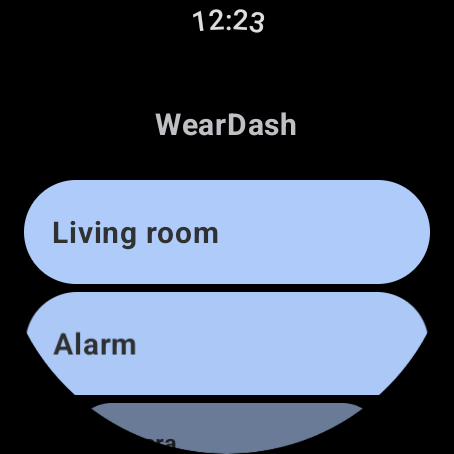 Your screens, one list
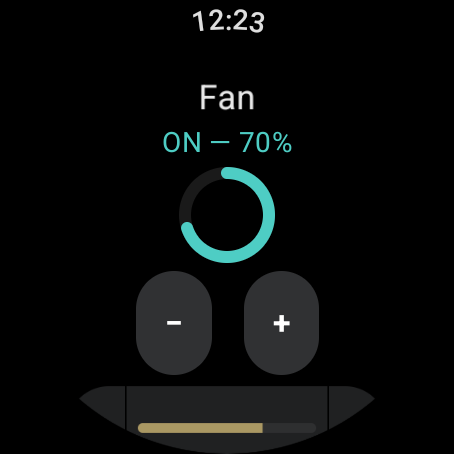 Arc, slider, live state
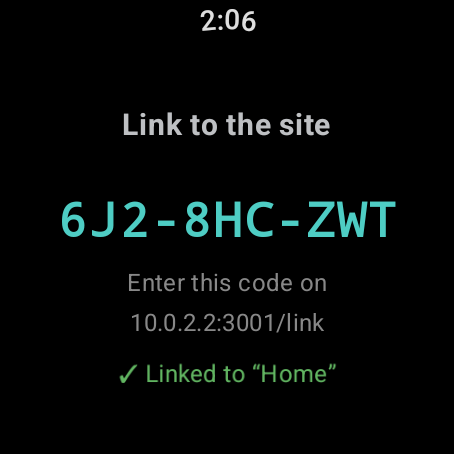 Pairing in one short code
$ git clone https://github.com/weardash/selfhost $ docker compose up -d # → https://your-server:3001 # pairing relay + YAML editor, in memory only
Open source
Or run it on your own server
Your network only
The watch pairs through your server. Configs and secrets are end-to-end encrypted either way; self-hosting removes even the encrypted transit.
Same validation rules
A YAML editor with the exact rules of this one: errors block sending, warnings flag likely mistakes. The JSON Schema ships with it.
One stateless container
One command: docker compose up -d. The relay runs in memory, so nothing is stored and nothing needs backing up.
Pricing
Free to start, one purchase to unlock.
No subscription: Premium is a one-time unlock on Google Play.
Free
- 1 screen and 1 tile, no feature limit
- All connectors included
- Web editor & templates
- Watch linking & secrets
Premium
one-time purchase- Unlimited screens, 5 tiles, complications
- Everything in Free
- Connectors added later included
- Support an indie project
One purchase, from the watch.
Set up your first dashboard.
Install the app, link the watch with a short code, then compose in the editor.